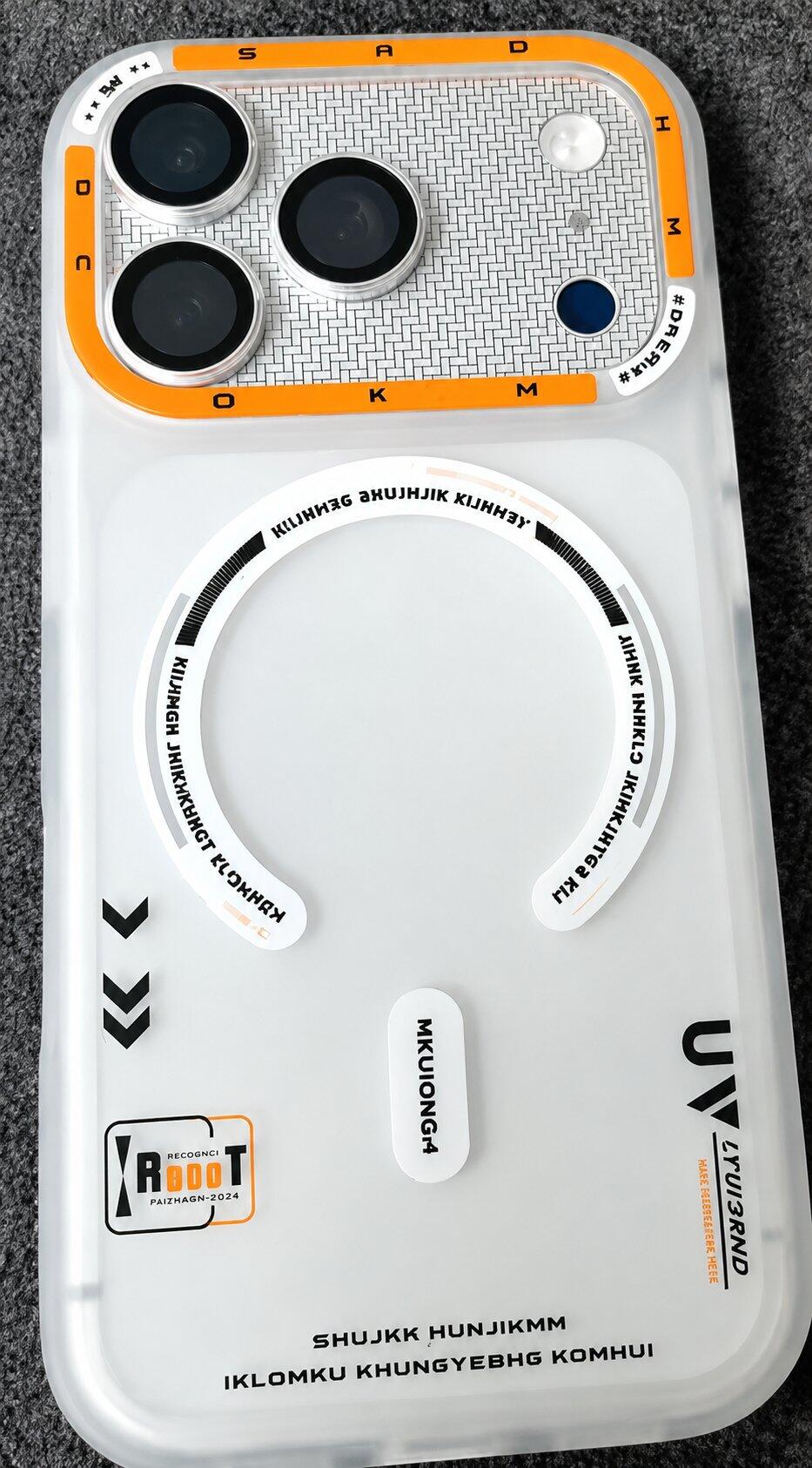
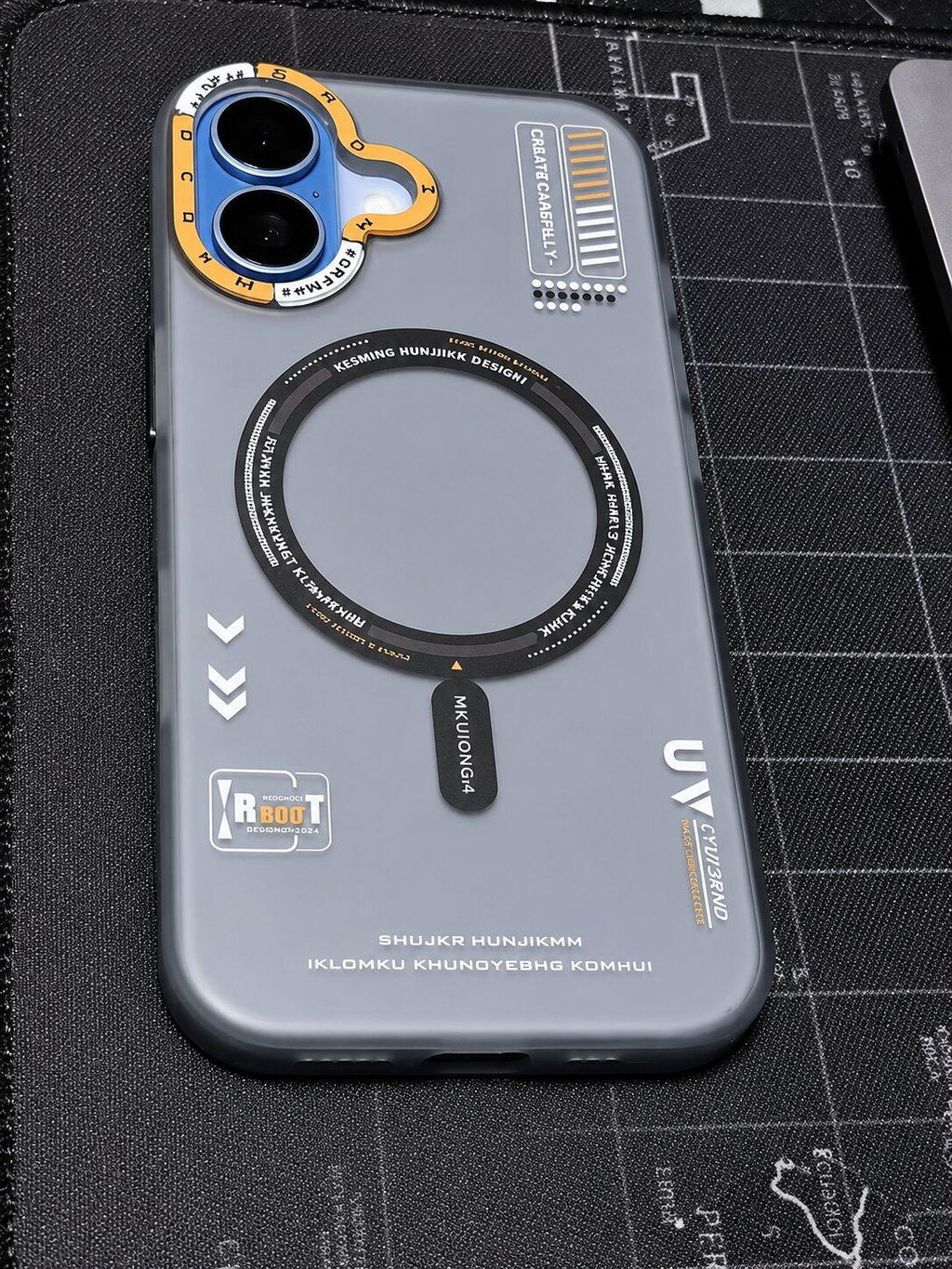
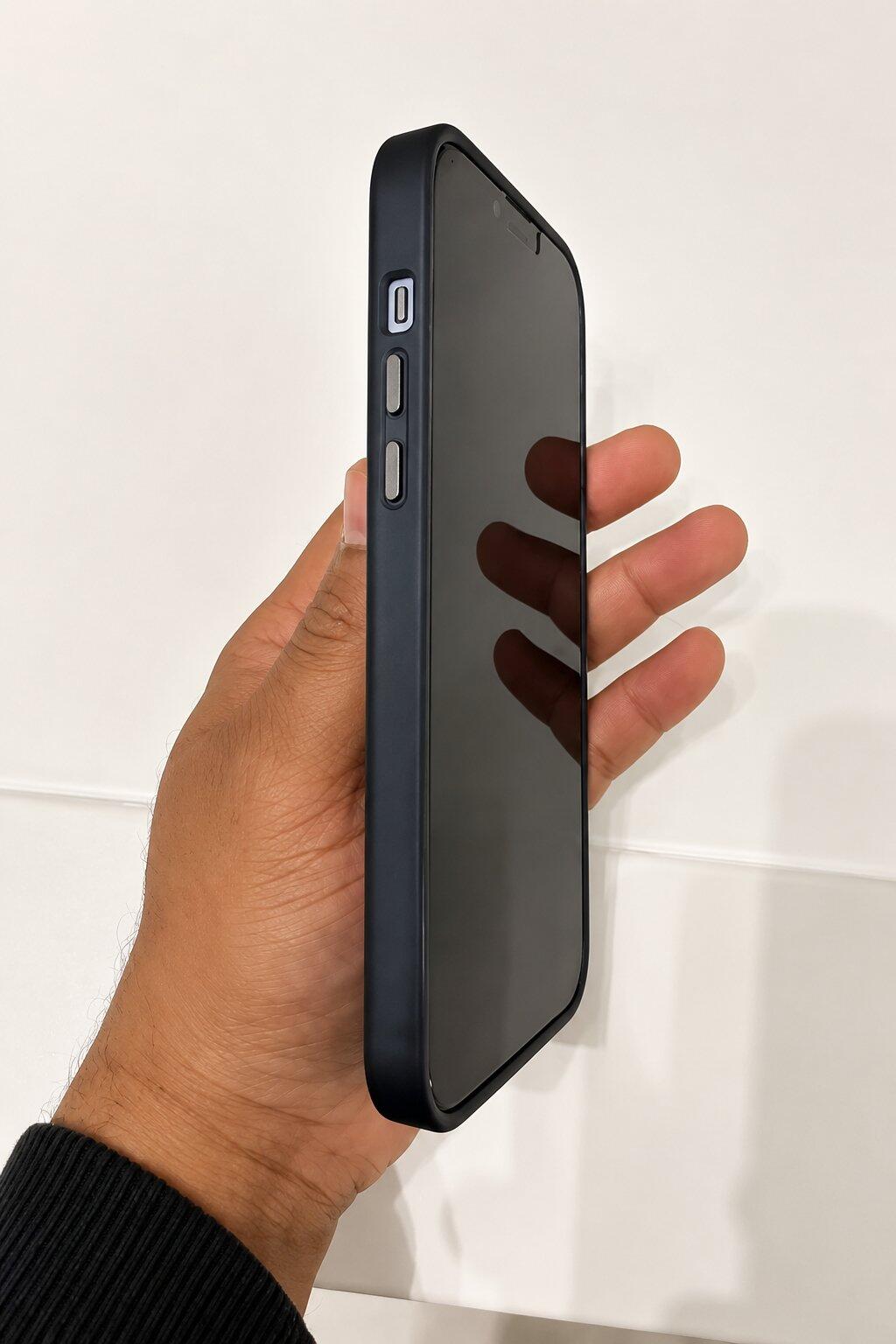
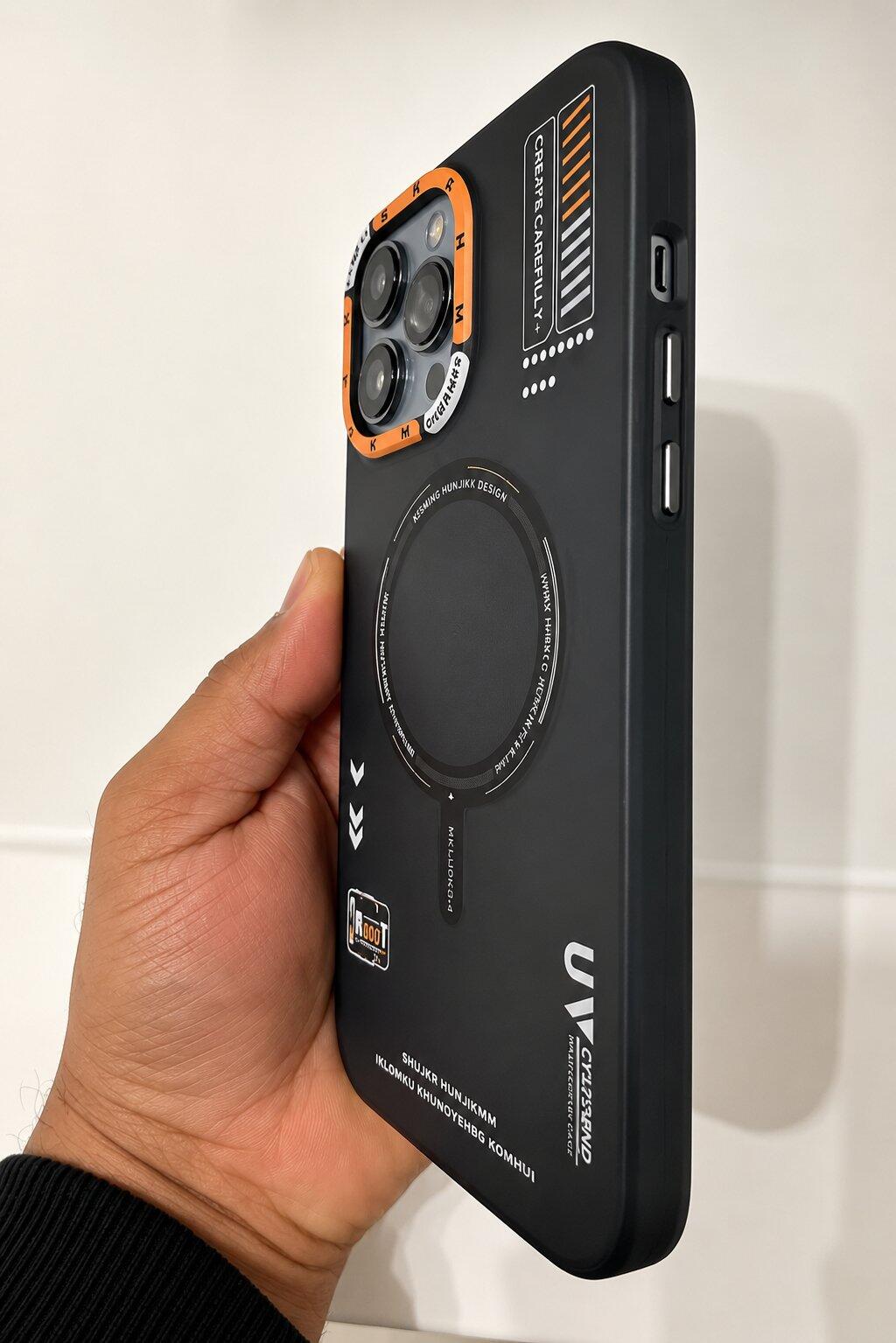
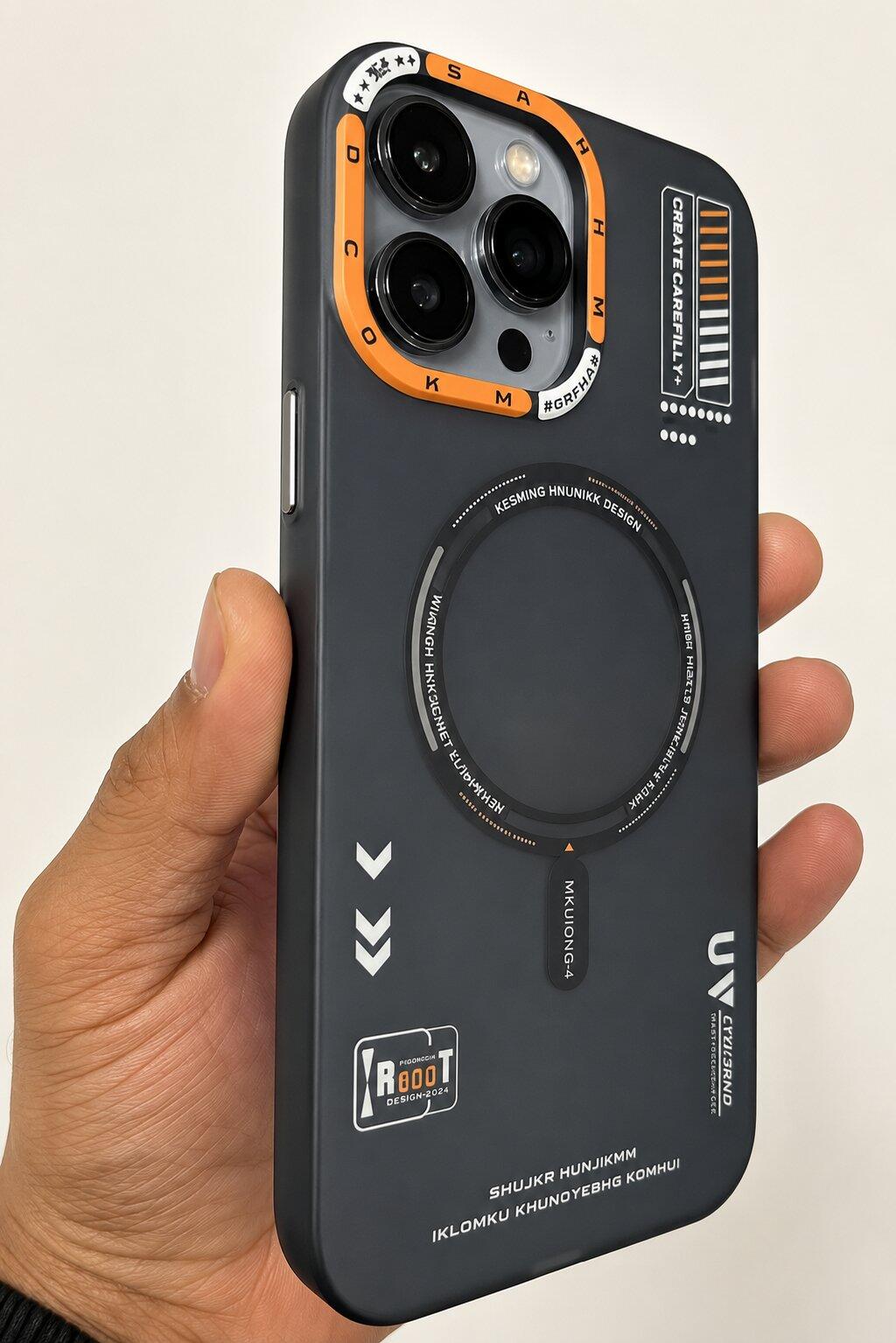
Do Phone Cases Cause Heating?
In our increasingly connected world, smartphones have become indispensable tools, serving as our primary means of communication, entertainment, and productivity. We rely on them for everything from navigating unfamiliar streets to capturing life's precious moments. Given their central role, it's natural to want to protect these valuable devices, and phone cases are the most common solution. However, a persistent question often arises among smartphone users: "Do phone cases cause heating?"
This concern isn't unfounded. Many users have experienced their phones feeling warm, or even hot, to the touch, especially during intensive use or while charging. The immediate thought often turns to the protective case, wondering if it's trapping heat and potentially harming the device. This topic matters because prolonged or excessive heat can impact your phone's performance, battery health, and overall lifespan. Understanding the true relationship between phone cases and heat generation is crucial for making informed decisions about smartphone protection.
In this comprehensive guide from Belvin, we will delve into the science behind smartphone heat, explore the role (or lack thereof) of phone cases in this phenomenon, and provide actionable advice on how to keep your device cool. You'll learn about the primary sources of heat in smartphones, how different case materials affect thermal management, and discover premium Belvin cases designed to offer robust protection without compromising your phone's temperature regulation. By the end, you'll have a clear understanding of how to choose a phone case that keeps your device safe and cool, ensuring optimal performance for years to come.
Quick Answer
It's a common misconception that phone cases are the primary cause of smartphone heating. The truth is, most quality phone cases do not cause harmful overheating. While a case can influence how quickly heat dissipates, the heat itself primarily originates from the phone's internal components and external factors. The main culprits behind a warm phone are typically the processor working hard, intensive gaming, camera recording, 5G connectivity, GPS usage, and both fast and wireless charging. Environmental factors like direct sunlight also play a significant role. Some poorly designed or excessively thick cases might slow down the natural heat dissipation process, but they rarely generate heat. Ultimately, choosing the right phone case material and design, like those offered by Belvin, can make a noticeable difference in how effectively your phone manages its temperature, ensuring protection without undue thermal stress.
Why Smartphones Generate Heat
To understand the role of phone cases in heat management, it's essential to first grasp why smartphones generate heat in the first place. Modern smartphones are packed with powerful components working tirelessly to deliver the seamless experience we've come to expect. This intense activity, governed by the laws of physics, inevitably produces heat. Here are the primary reasons your smartphone gets warm:
Processor Workload
At the heart of every smartphone is its processor (CPU and GPU). These tiny powerhouses are responsible for executing all the commands and calculations that make your phone function. When you're running multiple apps, switching between tasks, or performing complex operations, the processor works harder, consuming more power and generating more heat. Think of it like the engine of a car; the harder it works, the hotter it gets.
Gaming
Mobile gaming is one of the most demanding activities for a smartphone. High-fidelity graphics, complex physics engines, and constant data processing push both the CPU and GPU to their limits. This sustained, high-intensity workload leads to a significant increase in internal temperature. Gamers often notice their devices becoming noticeably warm, especially during extended play sessions.
Camera Recording
Using your phone's camera for recording high-resolution videos (especially 4K or 8K) or taking multiple burst photos is another heat-intensive task. The image signal processor (ISP) and other components work overtime to process vast amounts of data, encode video, and manage advanced computational photography features. This sustained effort can quickly warm up your device.
5G Connectivity
The advent of 5G connectivity brings faster speeds but can also contribute to heat generation. 5G modems consume more power than their 4G predecessors, especially when struggling to find a stable signal or when downloading large files at high speeds. This increased power draw translates directly into more heat.
GPS Usage
Constant GPS usage, such as when navigating with maps or tracking a run, requires continuous communication with satellites and real-time location processing. This sustained activity keeps the phone's radios and processor active, leading to a steady increase in temperature.
Fast Charging
Fast charging technologies, while incredibly convenient, inherently generate more heat than standard charging. Pushing higher wattages into the battery in a shorter amount of time causes a chemical reaction that produces heat. While modern phones and chargers have safety mechanisms to manage this, a warm phone during fast charging is normal.
Wireless Charging
Wireless charging (Qi charging) is another source of heat. The inductive coils used in wireless charging are not 100% efficient; some energy is lost as heat during the transfer process. This heat can affect both the charging pad and the phone itself. MagSafe charging, while more efficient due to magnetic alignment, still involves inductive charging and thus generates some heat.
Background Apps
Even when you're not actively using your phone, background apps can be consuming resources. Apps refreshing content, syncing data, or running location services can keep the processor active, leading to a gradual build-up of heat that you might not immediately notice.
High Screen Brightness
Setting your screen brightness to maximum for extended periods, especially on AMOLED displays, requires more power from the battery and the display driver. This increased power consumption contributes to the overall thermal load of the device.
Hot Weather and Direct Sunlight
External environmental factors also play a crucial role. Leaving your phone in direct sunlight or using it in hot weather can significantly raise its external and internal temperatures. The phone's internal cooling mechanisms are designed to dissipate heat into the surrounding environment, but if the environment itself is hot, this process becomes less efficient, leading to a warmer device.
Do Phone Cases Really Cause Heating?
Now that we understand the inherent heat generation within smartphones, let's address the central question: do phone cases actually cause heating? The answer is nuanced, but generally, phone cases do not cause heating in the same way your phone's processor or battery does. Instead, their role is primarily related to heat management and dissipation.
Normal Temperature Increase and Heat Retention
It's perfectly normal for your smartphone to get warm during intensive tasks like gaming, video streaming, or fast charging. This is a sign that its internal components are working hard. When a phone is encased, especially in a material that acts as an insulator, it can lead to heat retention. The case itself doesn't generate heat, but it can slow down the rate at which the heat generated by the phone dissipates into the surrounding air. Imagine wearing a jacket on a hot day; the jacket doesn't make you hot, but it prevents your body heat from escaping efficiently.
Heat Dissipation: The Case's Role
Smartphones are designed to dissipate heat through their surfaces, particularly the back panel. When a case covers these surfaces, it creates an additional layer that heat must pass through. The effectiveness of heat dissipation through a case depends heavily on its material, thickness, and design. Thin cases made from thermally conductive materials will allow heat to escape more readily than thick, insulating cases.
Why Premium Cases Behave Differently
This is where the quality and design of a phone case become critical. Premium cases, like those from Belvin, are engineered with heat management in mind. They often feature:
- Optimal Material Choices: Utilizing materials like high-quality TPU or polycarbonate that offer a balance of protection and reasonable thermal conductivity.
- Precision Fit: A snug fit ensures there are no air gaps that could trap heat, while also allowing the phone's natural heat dissipation to occur as efficiently as possible through the case material.
- Ventilation Designs: Some advanced cases incorporate subtle air channels or vent patterns to facilitate airflow and heat escape, especially in areas prone to heating (e.g., around the processor or battery).
- Heat Distribution: Good case design can help distribute heat more evenly across the case surface, preventing hot spots and allowing for a more comfortable user experience.
In contrast, cheap, poorly designed cases, especially those that are excessively thick or made from highly insulating materials without any consideration for thermal management, can indeed exacerbate heat retention. They might not cause overheating, but they can make your phone feel uncomfortably warm and potentially lead to thermal throttling (where the phone intentionally slows down its performance to cool down).
Common Misconceptions
- "My case is making my phone overheat!" While a case can contribute to heat retention, it's rarely the sole cause of overheating. True overheating often points to intensive usage, software issues, or environmental factors. The case merely influences how quickly the phone cools down.
- "Removing my case will solve all heating problems." Removing the case can certainly help your phone cool down faster by allowing direct heat transfer to the air. However, if the underlying cause is intensive usage or a software bug, the phone will still generate significant heat, just dissipate it more quickly without the case.
- "All cases are bad for phone heat." This is untrue. Many cases are designed to be thermally neutral or even aid in heat management, providing essential protection without significantly impeding heat dissipation. The key is choosing a well-engineered case from a reputable brand like Belvin.
Which Phone Case Materials Stay Cooler?
The material of your phone case plays a significant role in how effectively heat dissipates from your device. While no case actively cools your phone (unless it has integrated fans or thermal pads, which are rare), some materials are better at allowing heat to escape than others. Here’s a comparison of common phone case materials and their thermal properties, along with other key characteristics:
| Material | Heat Dissipation | Grip | Protection | Weight | Daily Comfort |
|---|---|---|---|---|---|
| TPU | Good (flexible, allows some heat transfer) | Excellent (soft, slightly tacky) | Good (shock-absorbing) | Light | Comfortable, flexible |
| Liquid Silicone | Moderate (can be insulating if thick) | Excellent (very soft, non-slip) | Good (shock-absorbing) | Light | Very soft, smooth, comfortable |
| Polycarbonate | Good (rigid, can transfer heat if thin) | Moderate (smooth, can be slippery) | Excellent (hard, impact-resistant) | Light to Moderate | Rigid, durable |
| Hybrid | Very Good (combines materials for optimal balance) | Varies (often good with TPU edges) | Excellent (multi-layer shock absorption) | Moderate | Balanced, secure |
| Leather | Poor (insulating, traps heat) | Good (natural texture) | Moderate (depends on construction) | Moderate | Premium feel, can be bulky |
| Hard Plastic | Good (if thin, but can be brittle) | Moderate (smooth, can be slippery) | Fair to Good (impact resistance, but less shock absorption) | Light | Rigid, can feel cheap if low quality |
| Metal | Excellent (highly conductive, but can interfere with signals) | Varies (can be smooth or textured) | Excellent (very strong, but can dent) | Heavy | Can feel cold or hot, signal interference |
| Fabric | Poor (insulating, traps heat) | Good (textured) | Fair (primarily scratch protection, limited drop protection) | Light | Soft, unique feel |
Detailed Material Analysis:
- TPU (Thermoplastic Polyurethane): This flexible, rubber-like material is a popular choice for phone cases due to its excellent shock absorption properties. It has decent thermal conductivity, meaning it allows some heat to escape. Thin TPU cases are generally good for heat dissipation, while thicker ones might retain more heat. Belvin frequently uses high-quality TPU in its shockproof cases for this balance.
- Liquid Silicone: Known for its incredibly soft touch and superior grip, liquid silicone is comfortable to hold. However, silicone is a relatively good insulator, which means it can trap heat more effectively than some other materials, especially if the case is thick. While it offers good protection, users concerned about heat might prefer thinner silicone options or cases with ventilation.
- Polycarbonate (PC): A rigid, hard plastic, polycarbonate is highly impact-resistant and often used for the outer shell of hybrid cases. When thin, it can allow heat to dissipate reasonably well. However, its primary role is structural protection rather than thermal management. Many Belvin cases combine PC with TPU for a robust yet balanced protective solution.
- Hybrid Cases: These cases combine two or more materials, typically a hard polycarbonate back with flexible TPU edges. This combination often provides the best of both worlds: excellent drop protection from the TPU and structural rigidity from the PC. From a thermal perspective, well-designed hybrid cases can manage heat effectively by utilizing the strengths of each material and often incorporating air channels.
- Leather Cases: While offering a premium look and feel, leather is a natural insulator. It tends to trap heat, making it less ideal for phones prone to getting warm. Genuine leather cases can also be quite thick, further impeding heat dissipation.
- Hard Plastic (e.g., Polypropylene): Thin hard plastic cases can dissipate heat fairly well due to their minimal thickness. However, they offer less shock absorption compared to TPU or hybrid cases and can be prone to cracking upon impact. They are generally more about scratch protection than drop protection.
- Metal Cases: Materials like aluminum are excellent thermal conductors, meaning they can draw heat away from the phone very efficiently. However, metal cases are often heavy, can interfere with wireless charging and cellular signals, and may not offer the same level of shock absorption as flexible materials. They are also prone to scratching the phone itself if not properly lined.
- Fabric Cases: Similar to leather, fabric is an insulating material and will generally trap heat. While they offer a unique aesthetic and good grip, they are not ideal for heat dissipation and typically provide minimal drop protection.
In summary, for optimal heat management, look for cases made from high-quality TPU, thin polycarbonate, or well-designed hybrid cases that incorporate ventilation or intelligent material distribution. Belvin’s cases are engineered to provide superior protection while considering the thermal dynamics of your smartphone.
Does Wireless Charging Make Phone Cases Hot?
Wireless charging has revolutionized how we power our devices, offering unparalleled convenience by eliminating the need for cables. However, many users notice their phones, and often their cases, getting warm during wireless charging. This is a normal phenomenon, and understanding why it happens can alleviate concerns about potential damage.
The Science of Qi Charging
Most wireless charging systems rely on the Qi charging standard, which uses electromagnetic induction to transfer energy. A coil in the charging pad generates an alternating electromagnetic field, and a receiver coil in your phone converts this field back into electrical current to charge the battery. This process, while ingenious, is not 100% efficient. Some energy is inevitably lost as heat during the conversion and transmission, both in the charging pad and within the phone itself.
MagSafe Charging and Heat
MagSafe charging, introduced by Apple, is an enhanced form of Qi wireless charging. It uses a ring of magnets to perfectly align the iPhone with compatible MagSafe chargers, ensuring optimal energy transfer. While MagSafe improves efficiency by minimizing misalignment, it still operates on the principle of electromagnetic induction and thus generates heat. The magnetic alignment helps to reduce some heat that might arise from poor coil alignment in standard Qi charging, but it doesn't eliminate heat generation entirely.
Why Charging Naturally Creates Heat
Regardless of whether it's wired fast charging or wireless charging, the act of replenishing a battery inherently generates heat. Chemical reactions occur within the battery cells during charging, and these reactions release energy, some of which manifests as heat. When you combine this internal battery heat with the energy conversion losses of wireless charging, a noticeable temperature increase is expected.
Safe Temperatures
Modern smartphones are designed with sophisticated thermal management systems that prevent them from reaching dangerously high temperatures. They have internal sensors that monitor temperature and will automatically slow down charging speeds or even pause charging if the device gets too hot. This is a protective mechanism to safeguard the battery and other components. A phone that feels warm to the touch during wireless charging is usually operating within its safe thermal limits.
Best Practices for Cooler Wireless Charging
To minimize heat during wireless charging:
- Ensure Proper Alignment: For standard Qi chargers, make sure your phone is perfectly centered on the charging pad to maximize efficiency and reduce wasted energy (heat).
- Use Quality Chargers: Always use certified wireless chargers from reputable brands. Cheap, uncertified chargers may be less efficient and generate more heat.
- Remove Thick Cases: While most cases are fine, excessively thick or poorly designed cases can trap heat, making the phone warmer during wireless charging. If your phone consistently feels very hot, try charging without the case occasionally.
- Avoid Direct Sunlight: Do not wirelessly charge your phone in direct sunlight or in a hot environment, as this adds external heat to the internal heat generation.
- Close Background Apps: Reduce the phone's workload by closing unnecessary background applications before charging.
By following these practices, you can enjoy the convenience of wireless charging while keeping your phone at optimal temperatures.
Do MagSafe Cases Cause Heating?
MagSafe technology, primarily associated with iPhones, has brought a new level of convenience and efficiency to wireless charging and accessory attachment. However, like all charging methods, it involves energy transfer, which inherently generates some heat. The question then becomes: do MagSafe cases themselves contribute to or exacerbate this heating?
The Role of Magnets
MagSafe cases feature an integrated ring of magnets that perfectly aligns the iPhone with MagSafe chargers and accessories. These magnets are passive components and do not generate heat themselves. Their primary function is to ensure optimal alignment between the charging coils in the phone and the charger, which actually improves charging efficiency compared to misaligned standard Qi charging. Better alignment means less wasted energy, and consequently, potentially less heat generated from inefficient power transfer.
Charging Efficiency and Heat Generation
As discussed, wireless charging, whether standard Qi or MagSafe, generates heat due to the inductive power transfer process. The phone's battery also warms up during charging. MagSafe's precise alignment aims to make this process as efficient as possible. While it doesn't eliminate heat, it helps ensure that the heat generated is primarily due to the natural physics of charging and battery chemistry, rather than inefficiencies caused by poor alignment.
Good vs. Poor Quality MagSafe Cases
The quality of a MagSafe case can influence heat management. A good quality MagSafe case, like those from Belvin, is designed with several considerations:
- Proper Magnet Integration: The magnets are integrated in a way that doesn't interfere with the phone's internal components or thermal pathways.
- Material Choice: The case material (e.g., high-quality TPU or polycarbonate) allows for reasonable heat dissipation, similar to other well-designed protective cases.
- Precision Fit: A snug fit ensures the case doesn't create insulating air gaps that could trap heat.
Conversely, a poor quality MagSafe case might:
- Use Inferior Materials: Materials that are highly insulating and trap heat more effectively.
- Have Poor Design: Magnets might be placed incorrectly, or the case might be excessively thick without proper thermal considerations, leading to more heat retention.
In essence, a well-designed MagSafe case should not cause additional heating beyond what is inherent to the wireless charging process. If your phone feels excessively hot with a MagSafe case, the issue is more likely related to the intensity of the charging (e.g., fast charging while using the phone heavily), the external environment, or the phone's internal workload, rather than the case itself. Belvin's MagSafe compatible cases are engineered to support efficient charging and protection without contributing to unnecessary heat buildup.
Gaming and Phone Heating
Mobile gaming has evolved dramatically, with graphically intensive titles now rivaling console experiences. While this offers incredible entertainment on the go, it also pushes smartphone hardware to its limits, making gaming one of the most significant contributors to phone heating. Understanding this relationship is key to managing your device's temperature during intense play.
GPU Usage and CPU Load
When you launch a graphically demanding game, your phone's Graphics Processing Unit (GPU) kicks into high gear. The GPU is responsible for rendering complex 3D environments, character models, and visual effects. Simultaneously, the Central Processing Unit (CPU) manages game logic, AI, physics calculations, and user input. Both components operate at high frequencies and consume substantial power, leading to a rapid increase in internal temperature. The harder these components work, the more heat they generate.
Frame Rates and Performance
Gamers often strive for high frame rates (FPS) for a smoother and more responsive experience. Maintaining a high FPS requires continuous, peak performance from the CPU and GPU. If the phone's cooling system cannot dissipate heat quickly enough, the device will engage in thermal throttling. This means the CPU and GPU will intentionally reduce their clock speeds to lower heat production, which in turn can lead to a drop in frame rates and a less enjoyable gaming experience. A phone that feels hot during gaming is often a sign that it's working hard to maintain performance.
Case Ventilation: A Critical Factor
While the phone itself generates the heat, the phone case plays a role in how effectively that heat can escape. During gaming, when heat generation is at its peak, case ventilation becomes particularly important. A case that is too thick, made of highly insulating materials, or lacks any design elements for heat escape can exacerbate heat retention. This can lead to the phone reaching its thermal throttling threshold faster, resulting in reduced performance.
Why Gamers Need Proper Airflow
For serious mobile gamers, ensuring proper airflow around their device is paramount. This means choosing cases that are either thin enough not to impede natural heat radiation or, ideally, cases specifically designed with thermal management features. Cases with strategic cutouts, vent patterns, or materials that facilitate heat transfer can make a noticeable difference in sustained gaming performance and device comfort. Belvin, for instance, offers cases like the Thermal Vent Shockproof Case, specifically engineered to assist with heat dissipation during demanding tasks like gaming, ensuring your phone stays cooler and performs better for longer.
How Premium Phone Cases Help Manage Heat
While phone cases don't actively cool your device, premium phone cases are meticulously designed to work with your smartphone's natural thermal management system, rather than against it. They aim to provide robust protection without unduly hindering heat dissipation. Here's how high-quality cases contribute to better heat management:
Better Materials
Premium cases utilize better materials that strike an optimal balance between protection and thermal properties. Instead of cheap, highly insulating plastics, they often employ advanced grades of TPU (Thermoplastic Polyurethane) and polycarbonate. These materials are chosen not only for their shock-absorbing and impact-resistant qualities but also for their ability to allow heat to transfer through them more efficiently than inferior alternatives. Belvin, for example, selects materials that ensure durability while minimizing heat retention.
Air Channels and Ventilation
Some advanced premium cases incorporate intelligent design elements such as air channels or ventilation patterns. These are strategically placed grooves, textures, or small openings within the case structure, particularly along the sides or back. Their purpose is to facilitate airflow between the phone and the case, creating micro-convection currents that help carry heat away from the device. This is especially beneficial during intensive tasks like gaming or fast charging, where heat generation is significant.
Precision Fit
A precision fit is crucial for effective heat management. A well-engineered case fits snugly around the phone, eliminating unnecessary air gaps that could trap heat. A loose-fitting case can create pockets of stagnant hot air, while a perfectly molded case ensures that any heat transfer through the case material is as efficient as possible. Belvin cases are known for their exact cutouts and form-fitting designs, which contribute to both protection and thermal performance.
Heat Distribution
Premium cases are designed to aid in heat distribution. Instead of allowing heat to concentrate in one area (like the processor or battery), the case's structure and materials can help spread that heat across a larger surface area of the case. This prevents localized hot spots on the phone itself, making the device more comfortable to hold and potentially reducing the likelihood of thermal throttling.
Reinforced Structure with Thermal Considerations
Even cases with a reinforced structure for military-grade drop protection can be designed with thermal considerations. For instance, multi-layer cases might use different materials for different layers, with the inner layer focusing on shock absorption and the outer layer on impact resistance and heat transfer. The overall architecture is planned to protect the phone while allowing heat to escape through the most efficient pathways. This thoughtful engineering ensures that protection doesn't come at the cost of thermal performance.-focused case, its robust design often incorporates air cushion technology which can indirectly aid in heat distribution by creating small air pockets.
- Everyday Durability: This case is engineered to withstand everyday drops and bumps, making it ideal for active users or those in demanding environments. Its reinforced corners and raised bezels provide comprehensive screen and camera protection.
- Slim, Matte Stealth Finish: Despite its ruggedness, the Stealth Armor Case maintains a sophisticated, low-profile look with a smooth, fingerprint-resistant matte finish that enhances grip.
ShadowMag Matte MagSafe Case
- Slim Profile & Comfortable Grip: The ShadowMag Matte MagSafe Case offers a sleek, minimal design that adds very little bulk to your iPhone. Its slim profile ensures a comfortable and secure grip, reducing the chances of accidental drops.
- MagSafe Support & Premium Finish: With embedded MagSafe magnets, this case provides seamless compatibility with all MagSafe accessories. The premium matte finish not only looks elegant but also resists fingerprints and smudges, keeping your phone looking pristine.
- Balanced Protection: While prioritizing a slim design, this case still offers reliable shock absorption and protection against daily wear and tear, making it a great choice for users who want MagSafe functionality and a refined aesthetic without compromising on essential safety.
Best Heat-Friendly Phone Cases from Belvin
At Belvin, we understand the importance of both protection and optimal phone performance. Our range of phone cases is designed with careful consideration for heat management, ensuring your device stays protected without unnecessary thermal buildup. Here are some of our top recommendations for heat-friendly phone cases:
Thermal Vent Shockproof Case
- Air Ventilation & Heat Management: This case is specifically engineered with a unique thermal vent design. These strategically placed vents facilitate airflow, allowing heat generated by your phone to dissipate more efficiently, preventing uncomfortable warmth and potential performance throttling.
- Ideal for Gaming & Heavy Users: If you're a mobile gamer, frequently stream content, or are a heavy smartphone user, this case is designed for you. Its superior heat management helps maintain optimal phone performance during intensive tasks.
- Robust Protection: Beyond its thermal properties, the Thermal Vent Shockproof Case offers military-grade drop protection, ensuring your device is safeguarded against accidental drops and impacts.
iPhone Breeze Guard Thermal Case
- Cooling Design for iPhones: Exclusively designed for iPhones, the Breeze Guard Thermal Case features integrated thermal-cooling airflow channels. This innovative design actively helps disperse heat, keeping your iPhone cooler during heavy usage, charging, or in warm environments.
- Everyday Use & Lightweight Protection: This case is perfect for daily use, offering a balance of robust protection and a lightweight, comfortable feel. It ensures your iPhone remains protected from bumps and scratches without adding unnecessary bulk or heat retention.
- Sleek Matte Exterior: The case boasts a sleek matte finish that is both minimalist and anti-fingerprint, providing a clean, modern look that complements your iPhone's aesthetic.
Magnetic MagSafe Shockproof Case
- MagSafe Compatibility & Efficient Charging: This case features integrated MagSafe magnets, ensuring perfect alignment with MagSafe chargers and accessories. This precise alignment optimizes wireless charging efficiency, which can help minimize heat generated from inefficient power transfer during charging.
- Protection During Charging: While all wireless charging generates some heat, this case provides robust shockproof protection, safeguarding your iPhone even if it gets warm during charging. Its design ensures that the heat generated is primarily from the charging process itself, not exacerbated by the case.
- Durable & Functional: Built with multi-layer shock absorption and reinforced edges, it offers superior drop protection while maintaining full MagSafe functionality and a sleek profile.
Stealth Armor Case
- Rugged Protection & Air Cushion Technology: The Stealth Armor Case is built for those who demand extreme durability. Its multi-layer armor construction, combining a hard PC shell with an inner TPU bumper, provides military-grade drop protection. While not a primary heat-focused case, its robust design often incorporates air cushion technology which can indirectly aid in heat distribution by creating small air pockets.
- Everyday Durability: This case is engineered to withstand everyday drops and bumps, making it ideal for active users or those in demanding environments. Its reinforced corners and raised bezels provide comprehensive screen and camera protection.
- Slim, Matte Stealth Finish: Despite its ruggedness, the Stealth Armor Case maintains a sophisticated, low-profile look with a smooth, fingerprint-resistant matte finish that enhances grip.
ShadowMag Matte MagSafe Case
- Slim Profile & Comfortable Grip: The ShadowMag Matte MagSafe Case offers a sleek, minimal design that adds very little bulk to your iPhone. Its slim profile ensures a comfortable and secure grip, reducing the chances of accidental drops.
- MagSafe Support & Premium Finish: With embedded MagSafe magnets, this case provides seamless compatibility with all MagSafe accessories. The premium matte finish not only looks elegant but also resists fingerprints and smudges, keeping your phone looking pristine.
- Balanced Protection: While prioritizing a slim design, this case still offers reliable shock absorption and protection against daily wear and tear, making it a great choice for users who want MagSafe functionality and a refined aesthetic without compromising on essential safety.
Signs Your Phone Is Overheating
Recognizing the signs of an overheating phone is crucial for taking timely action and preventing potential long-term damage to your device. While a warm phone is often normal, a truly overheating phone will exhibit several distinct symptoms:
Warning Messages
The most obvious sign is often a warning message appearing on your screen. Modern smartphones are equipped with thermal sensors that trigger alerts when internal temperatures exceed safe operating limits. These messages typically instruct you to let the phone cool down before further use.
Rapid Battery Drain
Excessive heat significantly accelerates battery drain. If your phone is losing charge much faster than usual, even during light use, it could be a sign that the battery is working harder to compensate for elevated temperatures, or that the heat itself is causing inefficiencies.
Performance Lag and Slowdown
As a protective measure, phones will often throttle their performance when overheating. You might notice significant lag, stuttering, apps crashing, or the device becoming generally unresponsive. This slowdown is the phone intentionally reducing its CPU and GPU activity to generate less heat.
Charging Slowdown or Stoppage
If your phone is overheating, its charging speed will often slow down or even stop entirely. This is a built-in safety feature to prevent further heat generation during the charging process, which is already a source of heat.
Camera Shutdown
Intensive camera use, especially video recording, is a common cause of heat. If your phone is overheating, the camera app might shut down unexpectedly or refuse to open, often accompanied by a message indicating that the device needs to cool down.
Screen Dimming
To conserve power and reduce heat output from the display, your phone might automatically dim its screen brightness. This is another subtle but important indicator that the device is struggling with elevated temperatures.
If you observe any of these signs, it's important to take immediate action to cool down your phone to prevent potential damage to its internal components and battery health.
How to Prevent Phone Heating
Proactive measures can significantly reduce the likelihood of your smartphone overheating. By adopting a few best practices, you can keep your device running smoothly and extend its lifespan:
- Remove Unnecessary Apps: Regularly review and uninstall apps you no longer use. Many apps consume background resources, contributing to heat generation.
- Update Software: Keep your phone's operating system and apps updated. Software updates often include optimizations that improve efficiency and reduce power consumption, leading to less heat.
- Avoid Direct Sunlight: Never leave your phone in direct sunlight, especially in a car. Sunlight can rapidly increase your phone's temperature to dangerous levels.
- Use Certified Chargers: Always use the charger and cable that came with your phone, or certified third-party accessories. Uncertified chargers can be inefficient and generate excessive heat.
- Avoid Gaming While Charging: Intensive activities like gaming generate a lot of heat. Combining this with the heat from charging can push your phone past its safe temperature limits. If you must game, do so on a full charge.
- Close Background Apps: Actively close apps running in the background that you're not using. This reduces the workload on your processor and conserves battery.
- Lower Brightness: Reduce your screen brightness, especially when indoors. A brighter screen consumes more power and generates more heat.
- Choose a Quality Phone Case: Select a phone case that offers robust protection without significantly impeding heat dissipation. Belvin's cases are designed with thermal management in mind, offering a balance of safety and performance.
- Use Airplane Mode in Low Signal Areas: When your phone struggles to find a signal, its modem works harder, generating heat. In areas with poor reception, consider switching to airplane mode if you don't need connectivity.
- Give Your Phone a Break: If your phone feels warm, simply put it down for a few minutes. Let it rest and cool down naturally.
Phone Case Myths
Misconceptions about phone cases and heating are common. Let's debunk some prevalent myths to provide clarity:
-
Myth: Thick cases always overheat phones.
Fact: While excessively thick cases made of insulating materials can slow heat dissipation, not all thick cases cause overheating. Many rugged cases incorporate air channels or advanced materials that manage heat effectively. The key is design and material quality, not just thickness. -
Myth: MagSafe always causes heating.
Fact: MagSafe charging, like all wireless charging, generates some heat due to energy transfer. However, MagSafe's precise alignment actually improves efficiency compared to misaligned standard Qi charging, potentially reducing heat from inefficiency. The magnets themselves do not generate heat. -
Myth: Silicone traps all heat.
Fact: Silicone is an insulator, and thick silicone cases can indeed retain heat. However, thin, well-designed silicone cases can still allow for reasonable heat dissipation. The degree to which silicone traps heat depends on its thickness and the overall case design. -
Myth: Clear cases stay coolest.
Fact: The transparency of a case has no direct correlation with its thermal properties. A clear case made of thick, insulating plastic will trap heat just as much as an opaque one. Material composition and design are far more important than appearance. -
Myth: Removing the case always fixes heating.
Fact: Removing the case can help your phone cool down faster by allowing direct exposure to ambient air. However, if the underlying cause of heating is intensive CPU/GPU usage, a software bug, or environmental factors, the phone will still generate heat. Removing the case addresses the symptom (heat retention) but not necessarily the root cause.
How to Choose a Phone Case That Doesn't Trap Heat
Selecting a phone case that provides optimal protection without impeding your device's thermal performance requires careful consideration. Here's a buying guide to help you choose wisely:
-
Prioritize Material:
- TPU and Polycarbonate: These are generally good choices. Look for cases that combine a hard PC back with flexible TPU edges for a balance of protection and reasonable heat transfer.
- Avoid Excessively Thick Insulators: If you frequently experience phone heating, be wary of very thick cases made purely of silicone or leather, as these can be more insulating.
-
Look for Ventilation and Design:
- Air Channels/Vents: Some cases, like Belvin's Thermal Vent Shockproof Case, incorporate specific designs to promote airflow and heat dissipation. These are excellent choices for heavy users or gamers.
- Precision Fit: A snug fit is crucial. Avoid cases that are loose or create large air gaps, as these can trap heat.
-
Consider Build Quality:
- Reputable Brands: Invest in cases from reputable brands like Belvin. They often use higher quality materials and employ better engineering, which includes thermal considerations in their design process.
- Read Reviews: Check user reviews for mentions of heat issues or how the case performs under heavy load.
-
Assess Compatibility with Charging Habits:
- Wireless Charging: If you use wireless charging frequently, ensure the case is not excessively thick and explicitly states wireless charging compatibility. For iPhones, MagSafe compatibility is a plus for efficient charging.
- Fast Charging: While fast charging generates heat, a good case won't exacerbate it. Focus on the case's overall thermal design.
-
Match to Your Daily Use and Gaming Habits:
- Heavy Gamers/Power Users: Opt for cases specifically designed for heat management, such as those with thermal vents or very thin profiles.
- Everyday Users: A well-designed hybrid case or a thin TPU/PC case will likely suffice, offering protection without significant heat concerns.
- Balance Protection and Slimness: Modern cases offer impressive protection in slim profiles. You don't always need a bulky case for military-grade protection. Look for cases that achieve a good balance, like Belvin's Stealth Armor Case, which offers ruggedness without excessive bulk.
By keeping these factors in mind, you can select a phone case that not only protects your device from physical damage but also supports its optimal thermal performance.
Frequently Asked Questions
1. Do phone cases cause heating?
Generally, quality phone cases do not cause heating. They can, however, influence how quickly heat dissipates from your phone by acting as an insulating layer. The heat itself primarily comes from the phone's internal components during operation or charging.
2. Can a phone case damage the battery?
Indirectly, yes. While the case itself doesn't damage the battery, if it significantly traps heat and causes your phone to consistently operate at high temperatures, prolonged exposure to excessive heat can degrade battery health over time, leading to reduced capacity and lifespan.
3. Does MagSafe make phones hotter?
MagSafe charging, like all wireless charging, generates some heat. However, MagSafe's precise magnetic alignment actually improves charging efficiency compared to misaligned standard Qi charging, potentially reducing heat generated from inefficiency. The magnets themselves do not generate heat.
4. Is wireless charging safe?
Yes, wireless charging is generally safe. Modern smartphones and certified wireless chargers have built-in safety mechanisms to manage heat and prevent overheating. Your phone will slow down or stop charging if it gets too hot.
5. Which phone case stays coolest?
Cases made from materials that allow for better heat transfer (like thin TPU or polycarbonate) or those with integrated ventilation designs (like Belvin's Thermal Vent Shockproof Case) tend to stay cooler and allow your phone to dissipate heat more effectively.
6. Is silicone hotter than TPU?
Silicone is generally a better insulator than TPU, meaning it can trap heat more effectively, especially in thicker cases. TPU, being a hybrid material, often allows for better heat dissipation while still offering excellent shock absorption.
7. Can overheating damage my phone?
Yes, prolonged or severe overheating can damage your phone's internal components, particularly the battery, processor, and display. It can lead to reduced performance, shorter battery lifespan, and in extreme cases, permanent hardware failure.
8. Should I remove my case while charging?
If your phone consistently feels very warm or hot during charging, especially wireless charging, removing the case can help it cool down faster. However, for most quality cases and normal charging, it's not strictly necessary.
9. Does gaming increase phone temperature?
Yes, gaming is one of the most demanding activities for a smartphone, pushing the CPU and GPU to their limits. This intensive workload generates significant heat, making gaming a primary cause of increased phone temperature.
10. What temperature is normal for a phone?
Normal operating temperatures for a smartphone typically range from 30°C to 45°C (86°F to 113°F) during active use. Temperatures above 45°C, especially sustained, might indicate excessive heat. Most phones will issue warnings or throttle performance if they approach 50°C (122°F) or higher.
11. Which Belvin case is best for gamers?
For gamers, Belvin's Thermal Vent Shockproof Case is highly recommended. Its unique thermal vent design is specifically engineered to facilitate heat dissipation, helping to maintain optimal performance during intense gaming sessions.
12. Are cooling phone cases worth buying?
Cooling phone cases, especially those with passive ventilation designs, can be worth buying if you're a heavy user, gamer, or frequently find your phone getting warm. They help manage heat more effectively than standard cases, contributing to better performance and battery longevity.
13. Can thick phone cases trap heat?
Yes, thick phone cases, particularly those made from insulating materials without any thermal considerations in their design, can trap heat and slow down its dissipation from the phone.
14. Does fast charging always make phones hot?
Fast charging inherently generates more heat than standard charging due to the higher power delivery. While modern phones and chargers manage this safely, a warm phone during fast charging is normal. Excessive heat might indicate an issue with the charger or phone.
15. Why does my iPhone heat while charging?
Your iPhone heats while charging due to the natural energy conversion process of charging (especially fast or wireless charging) and the chemical reactions within the battery. If it's excessively hot, ensure you're using certified accessories and charging in a cool environment.
16. Why does my Samsung phone get hot?
Similar to iPhones, Samsung phones heat up due to processor workload, intensive apps, gaming, and charging. If your Samsung phone consistently gets hot, check for background apps, network signal, and charging practices.
17. Can phone cases affect charging speed?
Yes, indirectly. If a phone case significantly traps heat, the phone's thermal management system might reduce charging speed to prevent overheating. This is more common with wireless charging if the case causes misalignment or excessive insulation.
18. Which material is best for heat dissipation?
Materials like thin TPU and polycarbonate, especially in well-designed hybrid cases with ventilation, are generally best for allowing heat dissipation while still offering protection. Metal is highly conductive but has other drawbacks.
19. How can I reduce phone heating?
To reduce phone heating, close unnecessary background apps, lower screen brightness, avoid direct sunlight, use certified chargers, and consider a heat-friendly phone case. Giving your phone breaks during intensive tasks also helps.
20. Which Belvin case is best for everyday cooling?
For everyday cooling, the iPhone Breeze Guard Thermal Case (for iPhones) and the Thermal Vent Shockproof Case (for other compatible models) are excellent choices from Belvin, as they are specifically designed with airflow and heat dissipation in mind.
Conclusion
The question of whether phone cases cause heating is a common concern, but as we've explored, the answer is more nuanced than a simple yes or no. Phone cases themselves do not generate heat; rather, they can influence how effectively your smartphone dissipates the heat it naturally produces during operation and charging. The primary culprits behind a warm phone are intensive processor activity, demanding applications like gaming, and the inherent physics of both wired and wireless charging.
Choosing a premium, well-designed case is paramount. Such cases, like those offered by Belvin, are engineered with intelligent material choices, precision fits, and sometimes even dedicated air channels to ensure robust protection without unnecessarily restricting heat dissipation. They work in harmony with your phone's thermal management system, allowing you to enjoy optimal performance and extend your device's lifespan.
We encourage you to be mindful of your phone's temperature, recognize the signs of overheating, and adopt best practices to keep it cool. By selecting a high-quality, heat-friendly case from Belvin such as the Thermal Vent Shockproof Case or the iPhone Breeze Guard Thermal Case you can confidently protect your smartphone while ensuring it remains cool, efficient, and ready for whatever your day brings. Invest in smart protection, and keep your tech cool.